
Last updated: October 23, 2026
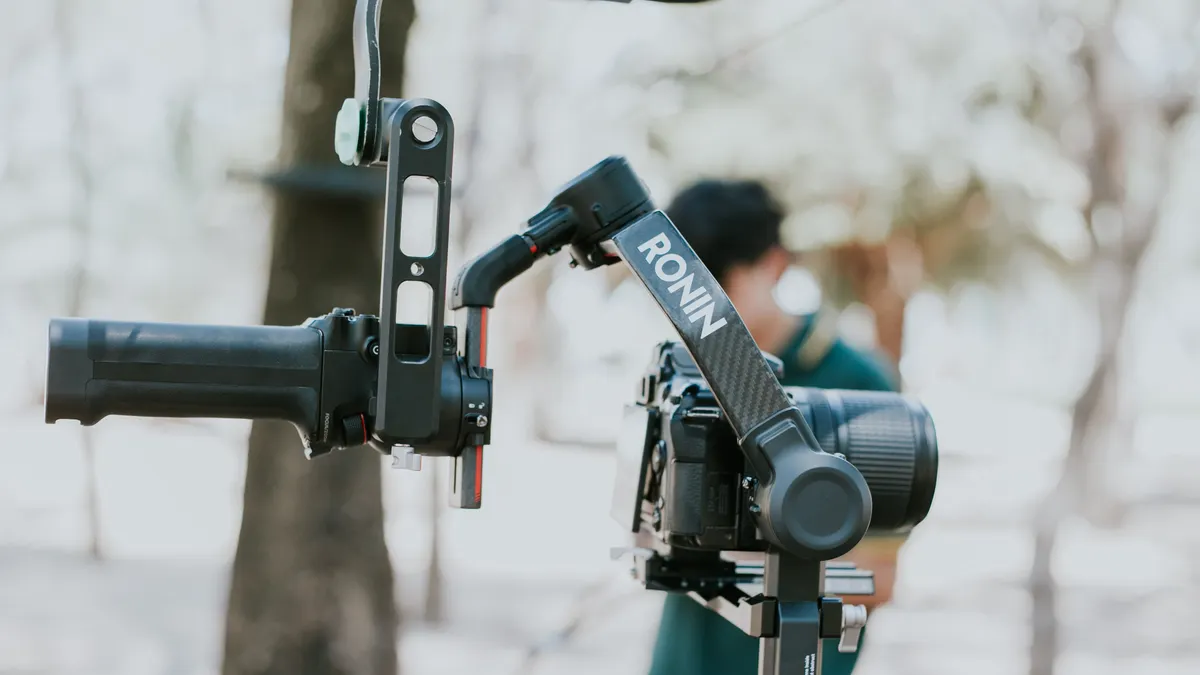
Quick answer: the right setup usually comes down to one number, three axes, and one goal — keep the payload balanced enough that the motors are not doing all the work. In Gimbal setup and operation — The Complete Guide, the best results usually come when balance is close, tuning is correct, and the operating mode matches the shot. If the balance is off by even a little, the motors fight physics instead of helping you, and the result is jitter, drift, heat, and short battery life.
Key Takeaways
- A gimbal works best when the payload is nearly neutral on all three axes before motor power takes over.
- You balance a gimbal by keeping each axis from falling or drifting at almost any angle before the motors are active.
- Motor strength and follow behavior come first after balance, because they control how the gimbal reacts.
- Move with your feet and core, not only your wrists, so the rig does not inherit extra shake.
If you’re trying to get stable motion out of a handheld 3-axis gimbal, this guide is about the part that usually gets skipped: setup decisions that change everything once the motors turn on. In Gimbal setup and operation — The Complete Guide, the difference between a smooth pan and a twitchy mess is rarely the brand name. It is usually balance, firmware settings, weight limits, and how you walk with the rig.
What actually determines whether your gimbal works
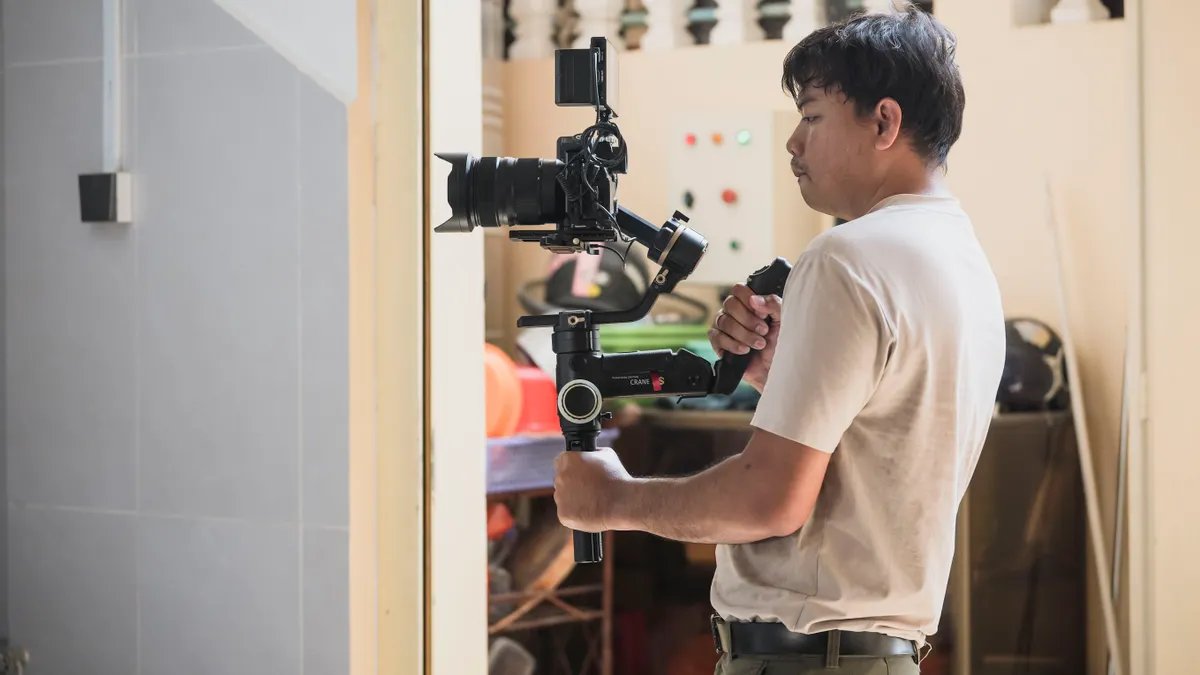
A gimbal works if the payload sits near neutral on all three axes before motor power does the heavy lifting. If the roll arm, tilt arm, or pan axis is out of balance, the motors compensate continuously and the whole rig becomes harder to control. That is true on a compact DJI RS 3 Mini, a larger RS 4 Pro, a Zhiyun Crane, or any 3-axis stabilizer with similar mechanics.
The first decision is simple: if the setup is light and compact, you can usually get by with a smaller gimbal, but if you mount a heavier lens, external monitor, or follow-focus motor, the payload class matters more than the label. A gimbal rated for a certain payload is not comfortable at that weight ceiling. It is usually happier with margin to spare.
Here is the practical split:
| Situation | Best Path | Why Other Options Fail |
|---|---|---|
| Light mirrorless body with a small prime | Use a compact 3-axis gimbal and balance carefully | Oversized rigs add weight without solving poor balance |
| Front-heavy body with a long zoom | Move the plate, re-seat the camera, then rebalance all axes | Skipping balance forces motors to compensate constantly |
| Heavy lens, monitor, mic, and cable stack | Use a higher-capacity gimbal with room above the payload | Near-limit operation cuts battery life and increases vibration |
| Fast run-and-gun shooting | Prioritize quick-lock design and simple mode switching | A complicated rig gets left in the wrong mode at the wrong time |
If the lens or accessory load changes during the day, then the balance changes too. A matte box, filter stack, or HDMI cable can be enough to alter tilt balance. That is why setup is not a one-time chore. It is part of operation.
Use this order before you power on:
- Mount the camera or payload on the quick-release plate and lock it down fully.
- Set the lens to the shooting configuration you will actually use, including focus length if the zoom is not locked.
- Balance tilt first, then roll, then pan.
- Lock each axis after it is balanced so it does not drift while you move to the next one.
- Run motor calibration or auto-tune only after the rig is physically balanced.
- Check for cable tension, lens hood interference, and any accessory that can hit an arm at full travel.
If you skip the physical setup and jump to auto-tune, the gimbal may still “work,” but it will work badly. Quick check: if the motors feel warm within a few minutes or the rig drifts when powered on, the balance is not right.
How do you balance a gimbal without wasting an hour?
You balance a gimbal by making every axis stay in place at almost any angle before the motors are active. If the rig tips forward, backward, or sideways on its own, that axis is not done yet. The common mistake is to chase perfect balance by eye instead of testing neutral points at multiple angles.
The goal is not mathematical perfection. The goal is to get close enough that the motors need only small corrections. On most handheld systems, that means the camera should stay roughly where you leave it when the axis is unlocked, not swing to one side or nose-dive.
A clean setup sequence looks like this:
- Mount the payload on the plate and center it left to right as a starting point.
- Balance the tilt axis by sliding the camera forward or backward until the lens does not flop down or rise up when tilted 45 degrees.
- Balance the roll axis by moving the camera left or right until it stays level when released from a slight lean.
- Balance the pan axis by sliding the whole upper assembly so the rig does not spin to one side when the pan motor is unlocked.
- Re-check all three axes after each adjustment because one change can affect the others.
- Run a test hold with the gimbal off, then power on and confirm that the motors are not straining.
A lot of people get stuck on the tilt axis because that is where lens length matters most. A 24-70mm zoom at 24mm may balance differently than the same setup at 70mm. If the lens extends while zooming, the center of gravity moves. The answer is to balance at the focal length you will actually shoot, not the one you happen to test first.
If you are using a phone gimbal, the same principle applies, just with less mass and a smaller adjustment range. MagSafe-style mounting or clamp placement can shift the center enough to create drift. A phone case with a heavy ring or wallet can make balance worse, not better.
Do not confuse balance with software settings. Balance is mechanical. Deadband, motor strength, follow speed, and smoothness are software. If the rig is not physically right, software only masks the problem.
Quick check: if you can release the unlocked rig at a shallow angle and it stays put instead of falling, you are close enough to tune the motors.
Which settings should you change first after balance?
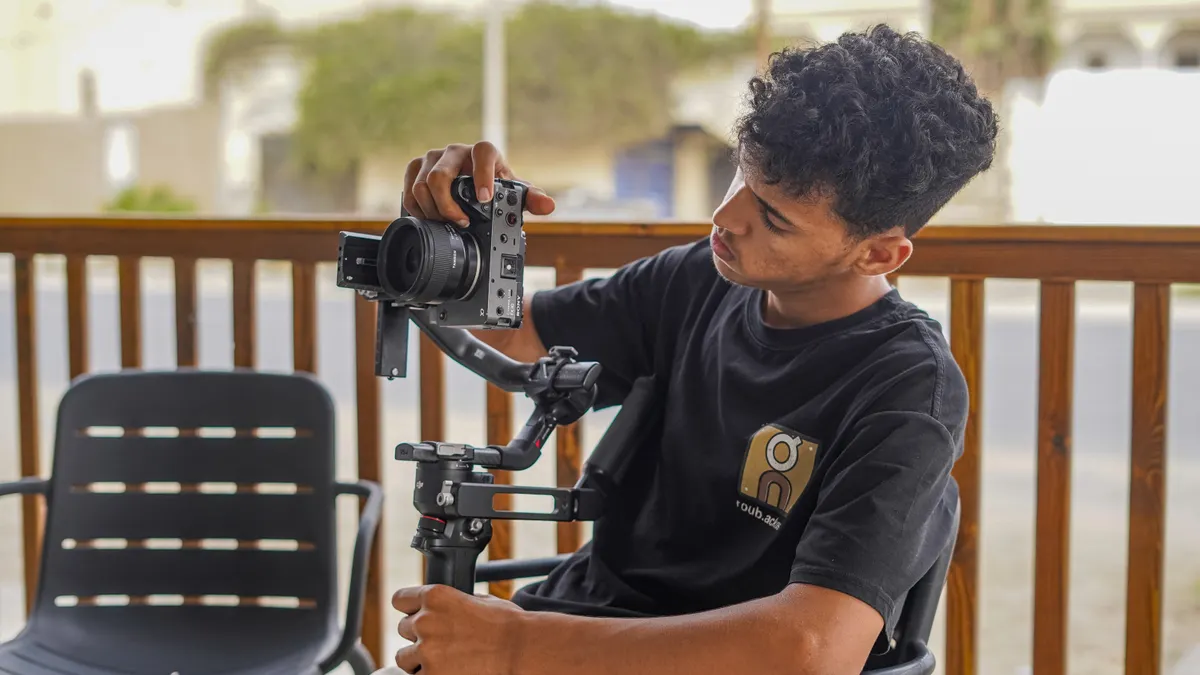
You should change motor strength and follow behavior first, because those settings decide how aggressively the gimbal reacts after the hardware is balanced. If the motors are too strong, the rig can buzz or fight your movement. If they are too weak, the payload sags, drifts, or lags behind during pans.
Most modern gimbals offer some combination of motor power, follow speed, deadband, joystick response, horizon correction, and smoothing. The names vary across DJI, Zhiyun, FeiyuTech, and Moza, but the job is the same: tell the gimbal how quickly to react and how much force to apply.
Start here:
- Run auto-tune or motor auto-calibration after the physical balance is complete.
- Watch for vibration in the handle, arms, or footage preview during the tune.
- If the motors sound harsh or the rig trembles, lower motor strength slightly.
- If the camera slowly slips from level or cannot hold position, raise motor strength in small steps.
- Set follow speed low for cinematic pans and higher for walk-and-talk or action movement.
- Increase deadband if tiny wrist movements are causing the frame to wander when you want it still.
A practical rule: if you are shooting interviews, product work, or slow B-roll, slower follow and softer response usually feel better. If you are shooting an event, sports sideline, or street movement, faster follow can help you stay with the action without overshooting every turn. For product work in particular, a steadier setup often matters more than a fast one.
The wrong advice is to max out smoothing and call it cinema. Too much smoothing can make the rig feel delayed, like it is floating half a beat behind the operator. That is fine for a dreamy move and terrible for precise reframing.
Also watch the horizon setting. Some gimbals keep the horizon locked in all modes; others allow slight drift by design. If you notice the frame leaning during a move, confirm that horizon correction is enabled and that the payload is truly balanced. A bad balance can look like a calibration problem.
One more real-world detail: firmware updates can change motor behavior. After an update, re-check the tune instead of assuming your old settings still fit. Quick check: if your movement feels either jerky or disconnected, the issue is usually motor strength or follow speed, not the lens.
How should you operate the gimbal while moving?
You should move the gimbal with your feet and core, not just your wrists, because the rig only hides shake if your body does not feed it unnecessary motion. If you hold it at arm’s length and twist from the elbows, the footage will still bob. A gimbal smooths movement; it does not erase bad body mechanics.
For handheld use, the biggest improvement comes from simple discipline:
- Keep your elbows tucked closer to your body than you think you need to.
- Walk with bent knees and a heel-to-toe or flat-foot “glide” step rather than a bouncing stride.
- Use two hands on the grip when the gimbal design allows it.
- Turn your whole body for pans instead of snapping the wrists.
- Start and stop moves gradually so the frame does not lurch at either end.
- Pause for a beat after a move if you need the shot to settle before recording the next action.
A gimbal is strongest at smoothing high-frequency shake, the tiny jitter from footsteps and hand tremor. It is weaker at fixing large, deliberate motions like sharp turns or rushed starts. That is why a “smooth” shot often looks smooth because the operator is moving smoothly, not because the device is doing all the work.
Use the mode that matches the job:
- Follow mode for natural reframing and walking scenes.
- Lock mode for locked-off pushes where you want the frame to stay pointed in one direction.
- Pan follow only when you want tilt held steady but still want horizontal movement.
- FPV or free mode only if you want rolling motion and know the look will suit the scene.
If the gimbal has joystick control, use it sparingly. Joystick movement is useful for precise reframes, but it can look robotic if used for all camera motion. Slow thumb input beats big thumb swings.
A common mistake is to fight the gimbal mid-shot. If the frame starts to wander, the instinct is to grab harder and correct aggressively. That usually makes the motion worse. Reset your stance, soften your grip, and let the motors recenter. Quick check: if your shots look better when you slow your own movement down, your setup is probably fine and your operation needs adjustment.
When is the standard advice wrong?
The standard advice is wrong when the rig has unusual weight distribution, unstable accessories, or a shooting style that breaks the normal balance-and-go routine. In those cases, a “perfect” setup on paper may still fail on location.
Here are the edge cases that matter most:
-
Very front-heavy lens setup
What changes: the tilt axis becomes difficult to balance without running out of rail travel.
What to do instead: move the plate as far back as the mount allows, remove unnecessary accessories, and consider a larger gimbal or a lens support if the load is extreme. -
Zoom lens that changes length while shooting
What changes: the center of gravity shifts during the take.
What to do instead: balance at the focal length you will use most, or avoid zooming during the shot unless the lens design stays physically constant. -
Micro HDMI cable tugging on the body
What changes: cable tension acts like a tiny external force on one axis.
What to do instead: use a shorter flexible cable, route it with a gentle loop, and leave enough slack for full tilt and roll travel. -
Follow-focus motor or wireless transmitter added later
What changes: the payload weight moves and can block arm travel.
What to do instead: mount all accessories before balancing, then retune motor strength and check clearance through the full range. -
Low temperatures or a tiring battery
What changes: battery performance and motor feel can degrade, especially in cold conditions.
What to do instead: start with a fresh battery, keep spares warm, and expect less runtime than the spec sheet suggests. -
High-speed walking or stairs
What changes: body motion gets too violent for the gimbal to hide completely.
What to do instead: lower your pace, keep the center of gravity over your feet, and accept that a shoulder rig or handheld stabilization in post may be the better tool.
If you are trying to shoot cinema-style motion with a heavy build, then the standard “balance it once and you’re done” advice fails fast. If you are shooting event coverage with constant lens changes, then a quick-release workflow and repeatable balance marks matter more than fine-tuned perfection. Quick check: if your problem only appears after adding a cable, changing lenses, or moving fast, you are in edge-case territory, not basic setup territory.
What do you do when the gimbal still jitters or drifts?
You troubleshoot the problem in a fixed order: mechanical, then software, then operator technique. If you jump straight to firmware, you can waste an hour and miss a loose plate screw or a cable that is pulling the arm off center.
Use this checklist:
- Power off and confirm the payload is fully tight on the plate.
- Check that no axis lock is partially engaged.
- Remove accessories that could hit the frame or change balance.
- Rebalance tilt, roll, and pan from scratch.
- Run auto-tune again and watch for vibration or unusual noise.
- Test one mode at a time, starting with the simplest follow behavior.
If the rig jitters only when powered on, the motors may be overdriven or the balance may be slightly off. If it drifts over time, the issue may be a bad horizon setting, a weak motor tune, or a payload shift. If it shakes only during movement, your walking style or grip pressure is likely the culprit.
Also check for things that seem minor but matter in practice:
- A clamp not fully seated on the rail
- A lens with creeping zoom resistance
- A cable that touches an arm at the edge of travel
- A battery mounted slightly off-center
- A payload that exceeds the comfortable range, not just the listed maximum
There is a hard limit to what a gimbal can fix. A 3-axis stabilizer will not turn fast running, jumping, or vehicle-mounted motion into perfectly floating footage. At that point, a different support system, a post-stabilization pass, or a dedicated motion rig may be the right tool.
That honesty matters because a lot of bad advice sells the gimbal as magic. It is not magic. It is a very good balancing act with motors attached. Quick check: if you have already balanced twice and the problem remains, inspect hardware interference before changing more settings.
Which operating habits separate clean footage from shaky footage?
Clean footage comes from repeatable movement, not from chasing the latest mode on the menu. If the shot feels unstable, the fix is often in how the gimbal is held, started, and stopped. A perfect setup can still look sloppy if the operator swings through the move like a flashlight.
The habits that matter most are boring because they work:
- Keep movement slow at the beginning and end of each shot.
- Use two hands when possible to reduce side-to-side sway.
- Let the gimbal rotate with your torso rather than your arms.
- Match your walking speed to the subject instead of forcing the subject to match you.
- Plan where the shot starts and ends before you hit record.
- Re-check balance after swapping lenses, filters, or batteries.
If you are shooting interviews or product work, then make the rig as still as possible and treat the gimbal more like a precision support than a motion tool. If you are shooting travel, weddings, or live events, then you need quick setup, quick mode changes, and a battery plan that lasts through the day. For interviews, a stable frame usually matters more than a dramatic move.
Battery life is not just a power issue. As charge drops, the system may feel less willing to hold aggressive moves, especially if the payload is near the upper end of the device’s comfort zone. A spare battery or a power bank-compatible grip can save a shoot, but only if the cable management does not add a new balance problem.
A last practical point: store your settings or note them down if the app allows it. If the gimbal gets reset, you want a known-good motor strength and follow profile ready to restore. Quick check: if every shot looks different even though the setup is the same, the problem may be inconsistent operating habits rather than the hardware.
Gimbal setup and operation: the settings and workflow that usually win
The best setup is the one that matches the payload, the movement style, and the amount of time you have to prep. If you own a small gimbal and a light body-lens combo, use the lightest rig that will do the job. If you regularly add a heavier lens, external monitor, or focus motor, move up to a gimbal with enough spare capacity to handle the full build without strain.
Here is the practical decision rule:
- Choose a compact model if speed, portability, and all-day carry matter most.
- Choose a higher-capacity model if your rig is front-heavy or accessory-heavy.
- Choose the simplest mode setup if you need reliable operation under pressure.
- Choose a slower, more deliberate walking style if the shot has to feel controlled and expensive.
Do not buy the idea that more modes automatically mean better results. A simple, well-balanced three-axis rig in follow mode often beats a complicated setup that is constantly half-tuned. The cleanest footage usually comes from a humble workflow: balance carefully, tune once, move slowly, and change settings only when the shot demands it.
If you want the shortest possible version of the whole guide, it is this: balance mechanically first, tune the motors second, choose the right follow mode third, and operate with your body instead of your wrists. Everything else is detail, but those details are what separate a polished shot from a shaky one. Quick check: if you can describe your setup in one sentence and name the exact mode you will use, you are ready to operate it well.
FAQ
Do I need to balance the gimbal every time?
You need to rebalance it any time the payload changes, and that includes lens swaps, battery changes that shift weight noticeably, or added accessories like a mic, monitor, or follow-focus motor. If nothing has changed and the rig was marked or memorized well, a full rebalance is usually unnecessary.
Should I calibrate the gimbal before every shoot?
You should calibrate after a major setup change, a firmware update, or if you notice drift, vibration, or weak holding power. If the gimbal was stable on the last outing and the build is identical, a full calibration is often unnecessary, but a quick check of balance and motor behavior is still smart.
What is the biggest mistake beginners make?
The biggest mistake is trying to fix a mechanical balance problem with software settings. If the rig is physically off-center, no amount of motor strength or smoothing will fully solve it. The next biggest mistake is walking too fast and expecting the gimbal to erase body movement.
Is a more expensive gimbal always better?
A more expensive gimbal is not automatically better for every setup. It is better only if it fits the weight, speed, and accessory load you actually use. A smaller, simpler model can outperform a larger one if the payload is light and the operator wants fast, repeatable setup.
Sources and standards worth checking
For official guidance on support gear basics and safe handling, the American Society of Cinematographers is a useful professional reference point, especially when comparing stabilization tools and shooting practice.
For battery handling, charging safety, and transport questions, the U.S. Consumer Product Safety Commission and the Federal Aviation Administration are both relevant if your kit uses lithium-ion batteries and you travel with them. Their guidance matters more than marketing copy when you are packing multiple batteries, chargers, and a powered grip.
If you want to understand the broader technical language behind stabilization and motion behavior, standards bodies and manufacturer manuals are more useful than influencer summaries. The names differ by brand, but the same basic ideas show up again and again: balance, torque, follow response, and horizon control.
The short version: if the gimbal is acting up, do not start by hunting for a hidden setting. Start by asking whether the payload is balanced, the accessories are mounted cleanly, and the operating mode matches the shot. That answer solves more problems than any menu ever will.
Drafted with AI; not yet reviewed by a person.