
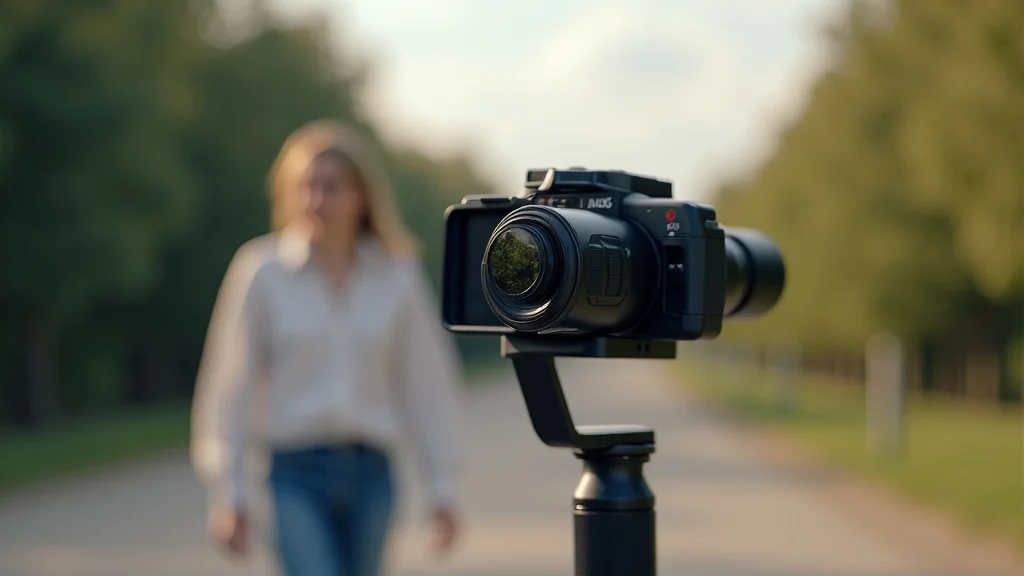
Ever watched a video and been completely captivated by its smooth, flowing shots? Chances are, the person behind the camera mastered the art of the gimbal walk. Imagine trying to film a friend walking – without a gimbal, your footage would probably bounce and jiggle all over the place. But with a gimbal, you can achieve that professional, effortless look. This post will explore everything you need to know to execute a flawless gimbal walk. You’ll learn the techniques, the tricks, and the gear needed to improve your video quality significantly, which means more time spent reading and fewer viewers hitting the ‘back’ button.
Key Takeaways
- Learn the fundamental principles behind a stable gimbal walk.
- Discover the essential equipment needed to start filming.
- Explore various walk styles and techniques to suit different scenarios.
- Find out how to avoid common mistakes that lead to shaky footage.
- Understand how to effectively use a gimbal in various filming situations.
- Get tips on post-production techniques to further enhance your footage.
Getting Started With Your Gimbal Walk
The foundation of any great video is smooth movement. Before you even touch a camera, the way you move as the operator has a huge impact on your video. Learning the basics will help you produce great content. Think of it like this: your body is the vehicle, and the gimbal is its suspension system. If the vehicle (you) is driving rough, the suspension (gimbal) will work overtime, and not as effectively. First, you need to understand the mechanics.
What Is a Gimbal?
A gimbal is a handheld device designed to stabilize a camera. It uses motors and sensors to counteract unwanted movements, such as those caused by walking or running. This stabilization results in smooth, professional-looking footage. Imagine holding a glass of water and trying to keep it level while walking – the gimbal does this for your camera. It effectively isolates the camera from your body’s movements, creating a floating effect. This allows for fluid pans, tilts, and even rotations, giving your videos a cinematic feel. There are many different types of gimbals available, ranging from small, lightweight models for smartphones to larger, more complex systems designed for professional cameras.
The core components of a gimbal include:
- Motors: These are the driving force behind the gimbal’s stabilization. They counteract unwanted movements in three axes: pan (horizontal rotation), tilt (vertical rotation), and roll (rotation around the lens).
- Sensors: These devices, typically gyroscopes and accelerometers, detect movement and relay the information to the motors.
- Control System: The control system interprets the sensor data and instructs the motors to make the necessary adjustments to keep the camera steady.
- Frame: The frame houses all the components and provides a secure platform for attaching the camera.
- Handle: The handle is what you hold to operate the gimbal, allowing you to control the camera’s movements and framing.
There are three main axes gimbals use to stabilize your camera:
- Pan: This refers to the horizontal movement, like looking left and right.
- Tilt: This is the vertical movement, like looking up and down.
- Roll: This is the rotational movement around the lens axis. Think of it like a plane banking.
Choosing the Right Equipment
Selecting the correct equipment is important to start your filming. This equipment is the gateway to your success. It will save you time and frustration. Let’s explore the essential pieces of equipment needed to start filming. Different gimbals are designed for different types of cameras. They are not all the same. Make sure you get the right equipment for your project.
- Gimbal: Obviously, you’ll need a gimbal. Consider the weight of your camera and choose a gimbal that can support it. Research the maximum payload capacity of the gimbal. Ensure it’s compatible with your camera.
- Camera: Your camera is the most important part of your project. If you’re using a smartphone, you’re set! For other cameras, make sure they are compatible with your gimbal. Check the camera’s resolution and frame rate. Make sure you have enough storage on your device.
- Accessories: Don’t forget the accessories! You’ll need a few add-ons for the best results. These will give you more flexibility on your shoot. Accessories can make the process easier and improve your outcome.
There are gimbals designed for smartphones, mirrorless cameras, and DSLRs. Some popular brands include DJI, Zhiyun, and FeiyuTech. Features to consider include battery life, ease of use, and additional features like follow modes. These can be adjusted based on the camera you will be using and the results you want to achieve.
The camera’s weight and dimensions will impact which gimbals are suitable. For smartphone videos, built-in camera apps are often sufficient. For higher-quality results, consider a mirrorless or DSLR camera. These cameras can give you access to higher resolution footage.
Accessories such as extra batteries, a carrying case, and possibly an external microphone can greatly enhance your filming experience. These items can increase your video’s quality while increasing your operational time. Always have extra batteries on hand to avoid interruptions during filming. Carrying cases protect your equipment during transport.
Mastering the Basic Gimbal Walk Techniques
Now that you have your equipment, it is time to master the techniques. This is where you will turn your videos from shaky and unprofessional to smooth and cinematic. You need to develop a walking style and technique that complements the gimbal. You also need to think about your environment and the shot you want to achieve. Let’s explore how to get started.
The Basic “Smooth” Walk
The “smooth” walk is the most fundamental technique. It emphasizes a stable stride and controlled movement. This walk is the foundation for all other gimbal walk techniques. It involves a specific posture and footwork to keep the camera steady. Achieving a smooth walk means practicing and understanding your body’s movements.
- Knees Bent: Keep your knees slightly bent. This acts as a shock absorber. This posture helps absorb the impact of each step and minimizes vertical movement.
- Wide Stance: Maintain a slightly wider stance. This increases your base of support and enhances stability. A wider stance also makes it easier to keep your body balanced.
- Core Engaged: Engage your core muscles. This provides additional stability and helps control your body’s movements. This ensures that your upper body remains as still as possible.
- Slow and Steady: Walk at a moderate pace. Rushing your walk will increase the likelihood of shaky footage. Avoid any sudden movements.
- Heel-Toe Foot Placement: Focus on a heel-toe foot placement. This ensures that each step is smooth. This helps reduce the up-and-down motion associated with walking.
By implementing the basic walk, you will ensure the best possible results.
Advanced Walk Styles for Various Scenarios
The basic walk is great, but sometimes you need more to produce the shot you want. Some walk styles are more specialized for different environments and situations. Each style has its advantages and is useful in particular scenarios. It’s important to experiment and adapt to the environment and the desired effect.
- The “Floating” Walk: To create a “floating” effect, focus on minimizing any vertical movement. Walk with your feet flat on the ground. This will reduce bouncing. Your goal is to make the camera appear as if it is gliding through the air. This works best on flat, even surfaces.
- The “Inverted” Walk: The “inverted” walk involves walking backward while maintaining a forward-facing camera. You can capture unique perspectives. This is excellent for creating reveals. This can be tricky and requires more practice.
- The “Sidestep” Walk: A sidestep walk is perfect for following a subject. This is great for keeping your subject in the frame. This technique is useful in crowded spaces.
To execute the floating walk, keep your knees even more bent than usual. This gives the camera an ultra-smooth motion. Think of it as if you’re trying to keep the camera’s frame completely horizontal while you move forward. You might want to consider practicing this in slow motion to refine your technique.
To execute the inverted walk, start by walking backward slowly, facing the direction you want to film. This can be a challenge. You will need to maintain a constant distance from your subject. Practice is key to avoiding bumping into things.
To sidestep effectively, keep your body oriented in one direction. This requires a stable base and consistent movement. Practice controlling your body and camera to get the best results.
Avoiding Common Mistakes
Even with the right gear and techniques, mistakes happen. Common errors can lead to undesirable results. Avoiding these mistakes will greatly improve your gimbal walk performance.
Common Pitfalls to Avoid
Avoiding these pitfalls will improve your video production. Being aware of these pitfalls will help you focus on your shots. These mistakes are easy to avoid once you know about them. This section will highlight some of the most common pitfalls and how to avoid them.
- Over-Correcting: One of the biggest mistakes is over-correcting your movements. Resist the urge to constantly adjust the gimbal. Let the gimbal do its job. It will stabilize the camera for you.
Over-correcting leads to jerky, unnatural movements. Let the gimbal work. Focus on maintaining a smooth, consistent pace.
- Locking Your Knees: Locking your knees is the enemy of stability. It will amplify any vertical movement. This creates jerky footage.
Keeping your knees bent will absorb the shocks. This is a critical step in mastering the gimbal walk.
- Rushing the Shot: Don’t rush. Slow down! Filming in a hurry leads to mistakes. Take your time, focus on your shot.
Slow and steady wins the race in filmmaking. Practice your walk slowly and deliberately to achieve the best results.
- Ignoring Your Surroundings: Pay attention to your environment. This will help you plan your shots. Avoid obstacles to prevent interruptions.
Awareness of your surroundings prevents bumps and disruptions. Scan the area before you begin filming. Note any potential hazards.
Troubleshooting Shaky Footage
Even if you avoid common mistakes, issues can still arise. Identifying these issues can help refine your technique. This section is all about what to do if the footage still comes out shaky. Learning to troubleshoot your shots is important.
- Check Gimbal Balance: Make sure your camera is properly balanced on the gimbal. An unbalanced gimbal won’t stabilize correctly. Refer to your gimbal’s manual.
An unbalanced gimbal causes the motors to work harder. This can lead to shaky video. Correctly balance your setup.
- Calibrate the Gimbal: If the footage is still shaky, recalibrate the gimbal. Calibrating the gimbal ensures that its sensors are correctly aligned. This process may involve adjusting settings in your gimbal’s app.
Calibration can resolve many stability issues. Each gimbal has a calibration process.
- Practice Your Walk: The best solution is practice. Practice your gimbal walk. Practice improves coordination and movement.
The more you practice, the smoother your footage will become. Experiment with different walking styles. Identify which techniques work best for you.
Taking Your Gimbal Walk to the Next Level
After learning the basics and avoiding mistakes, you can take your filming skills to the next level. Let’s explore how to incorporate more advanced techniques, along with post-production tricks to get the best results.
Advanced Techniques for More Engaging Shots
The following techniques will give you more creative options. You will enhance your storytelling and keep the audience engaged. These techniques require practice and familiarity with your gimbal.
- “Dynamic Panning and Tilting” (Simultaneous Motion): Combining your walk with panning or tilting can create dynamic shots. This technique takes more practice. It lets you capture moving subjects creatively.
Coordinate your footsteps with the camera’s movements. This creates depth and visual interest.
- “Follow Mode” Variations: Most gimbals offer different follow modes. Experiment with each mode. Follow mode lets your camera focus on a subject.
Try different modes to see which is best. Learning how to effectively use follow mode will improve your shots.
- “Low-Angle Shots”: Getting low provides unique perspectives. This can make the subject appear larger. Experiment to find which angles work best.
Low-angle shots are great for action or capturing a different point of view. This can increase visual interest.
Post-Production Tips for Polished Results
Post-production is just as important as the filming stage. You can enhance your footage with editing. This is where you can correct any imperfections and create polished videos.
- Stabilization in Editing Software: Even with a gimbal, some minor shakiness may still be present. Use software stabilization tools. This can further refine your footage.
Most video editing software includes stabilization features. Experiment with the settings to find what works best. This includes software like Adobe Premiere Pro and Final Cut Pro.
- Color Correction and Grading: Color correction enhances the overall visual appeal of your video. Color grading sets the mood and tone of your video. Use these tools to add visual impact.
Proper color correction fixes inconsistencies. Color grading helps create the desired look.
- Audio Enhancement: Make sure your audio is clear. Clear audio is an important part of a professional video. Remove any unwanted background noise.
Good audio makes your video more enjoyable. The viewer should not be distracted by unwanted background noise.
Remember that you should always back up your work to prevent loss.
Common Myths Debunked
Myth 1: You Need Expensive Gear to Get Good Results
Many people believe that producing great videos means buying expensive equipment. This is not entirely true! While professional gear can give you an edge, it’s not always necessary. You can still create amazing content with affordable equipment. Focus on mastering the techniques and using what you have effectively.
Myth 2: Gimbals Are Only for Professionals
Some people think gimbals are only for professional filmmakers. The truth is, gimbals are for everyone. Anyone can learn to use them to improve their video quality. The learning curve is not as steep as you might think. Many gimbals are designed to be user-friendly.
Myth 3: You Can Fix Everything in Post-Production
While editing software is helpful, it can’t solve all problems. Relying on post-production to fix issues in your footage can be time-consuming and may not yield the best results. The best approach is to focus on getting the best shot possible during filming. This will greatly reduce the amount of work you need to do in the editing phase.
Myth 4: A Gimbal Will Automatically Make Your Videos Look Good
A gimbal helps a lot, but it won’t make your videos look good automatically. You also need good technique and creative vision. You must learn the basics, understand composition, and develop a sense of storytelling. The gimbal is a tool, and you are the artist.
Myth 5: All Gimbals Are the Same
Not all gimbals are created equal. The features, build quality, and ease of use can vary significantly. You can improve your experience by doing your research and reading reviews. Choose a gimbal that suits your camera and filming style. Different gimbals may come with advanced features.
Frequently Asked Questions
Question: How do I choose the right gimbal for my camera?
Answer: Consider the weight of your camera and the types of shots you want to capture. Research the maximum payload capacity of the gimbal and ensure it’s compatible with your camera.
Question: What’s the best way to hold a gimbal?
Answer: Hold the gimbal firmly with both hands, keeping your arms relaxed. This will help you absorb the shocks from your movements and maintain stability. Try to keep your arms close to your body for more control.
Question: How can I improve my gimbal walk technique?
Answer: Practice regularly, experiment with different walking styles, and pay attention to your posture. Watch your footage and identify areas where you can improve.
Question: What should I do if my gimbal footage is still shaky?
Answer: Make sure your camera is balanced correctly, calibrate the gimbal, and review your technique. You can also try using stabilization tools in post-production.
Question: What are some creative ways to use a gimbal?
Answer: Experiment with dynamic panning and tilting, use follow modes, and capture unique angles like low-angle or high-angle shots. Try incorporating different movements to enhance your storytelling.
Final Thoughts
Mastering the gimbal walk is not about having the fanciest equipment, but it’s about practice and control. It’s a skill that combines technical know-how with creative vision. You’ve learned the fundamentals and gained the knowledge needed to create great footage. Now, it’s time to put what you’ve learned into action. Experiment with different techniques, find what works best for you, and keep practicing. With each shot you take, you’ll become more comfortable. Be patient, persistent, and embrace the learning process. Your journey towards cinematic videos begins with the very next step, your gimbal walk.